小海底
A little focus, a little more reef
A quiet focus timer for Mac. Finish a session to grow the seagrass and welcome an occasional visitor. Stop whenever you need, without penalties.
Little Reef only runs on Apple silicon Macs (M1 and later) for now — Intel Macs aren't supported yet.
Little Reef is Mac-only for now — there's no Windows version yet.
Little Reef is Mac-only for now — there's no Linux version yet.
This is a Mac app — open this page on your Mac to download it.
Recommended for Apple silicon. If your Mac has an Intel chip, it isn't supported yet.
Already installed? Choose “小海底 → 检查更新…” (Little Reef → Check for updates) in the menu bar. The app also checks every 4 hours and prompts you when an update is available.

You focus, the reef grows
Start with 25 minutes of focus and a 5-minute break, adjustable in Settings. Each completed session grows the seagrass; every third adds a plant. Growth stops when the reef is full.
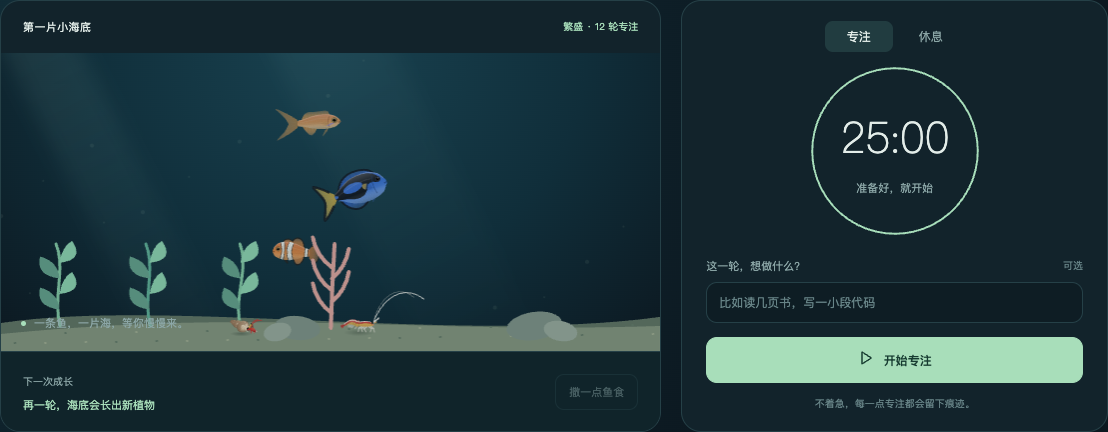 点击放大
Chance visitors, remembered
The first session brings a clownfish; later completed sessions have a one-in-three chance of a visitor. Meet 4 fish, 6 shrimp and 5 crabs, with unseen friends arriving first. Keep their visitor log and feed the fish once per break.
 点击放大
Your time, quietly kept
Open “这段时间” to review this week, this month and your total focus time, days together, visitor collection and reef growth. No streaks, goals or reminders to keep up with.
 点击放大
Keep your reef in a desktop corner
The desktop widget keeps just the reef and countdown. Click the menu bar fish to see your task and countdown, start or pause, and adjust sound and volume. It keeps running when the main window closes; wake it with ⌘⇧A, customizable in Settings. Right-click the fish and choose “退出并保存” (Quit and save) to quit.
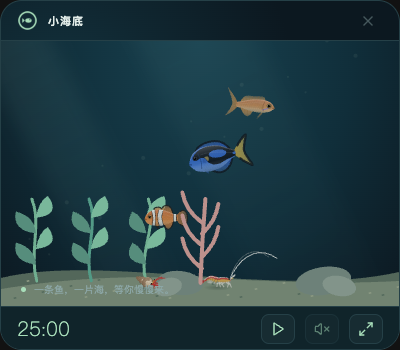 点击放大
20 ambient sounds
Waves, rain, campfire, café, wooden fish, Canon… choose one, set the volume and listen on a seamless loop. Sounds come with the app and play offline.
海浪雨声雷雨溪流篝火森林夏夜咖啡馆木鱼卡农粉红噪音
 点击放大
A different mood for your reef
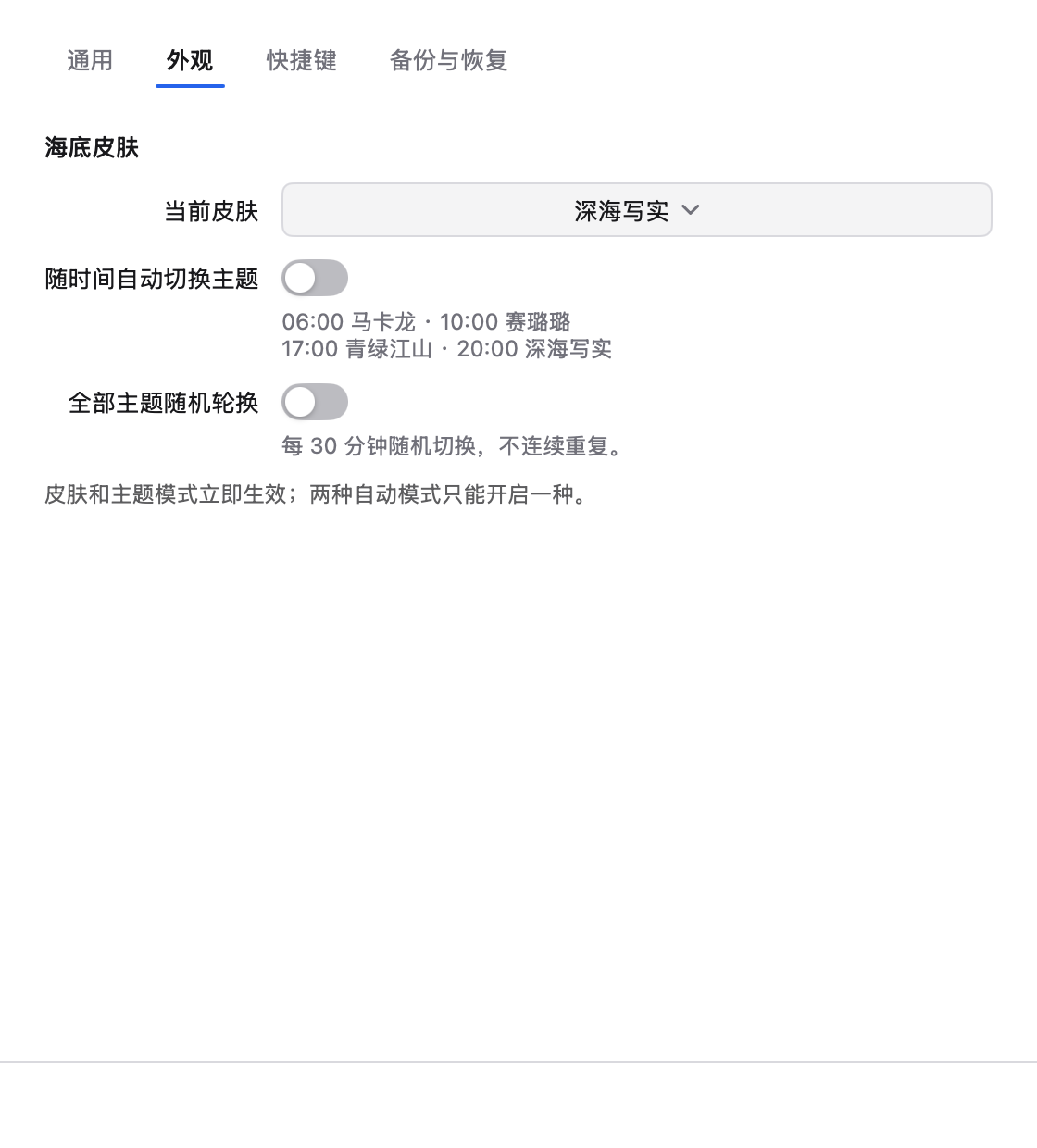
10 themes span deep sea, cartoon, ink wash, porcelain, cream and jelly palettes, changing the reef, creatures and interface together. In Settings → Appearance, choose manually, follow local time or switch randomly every 30 minutes. The automatic modes are mutually exclusive; records and visitors stay intact.
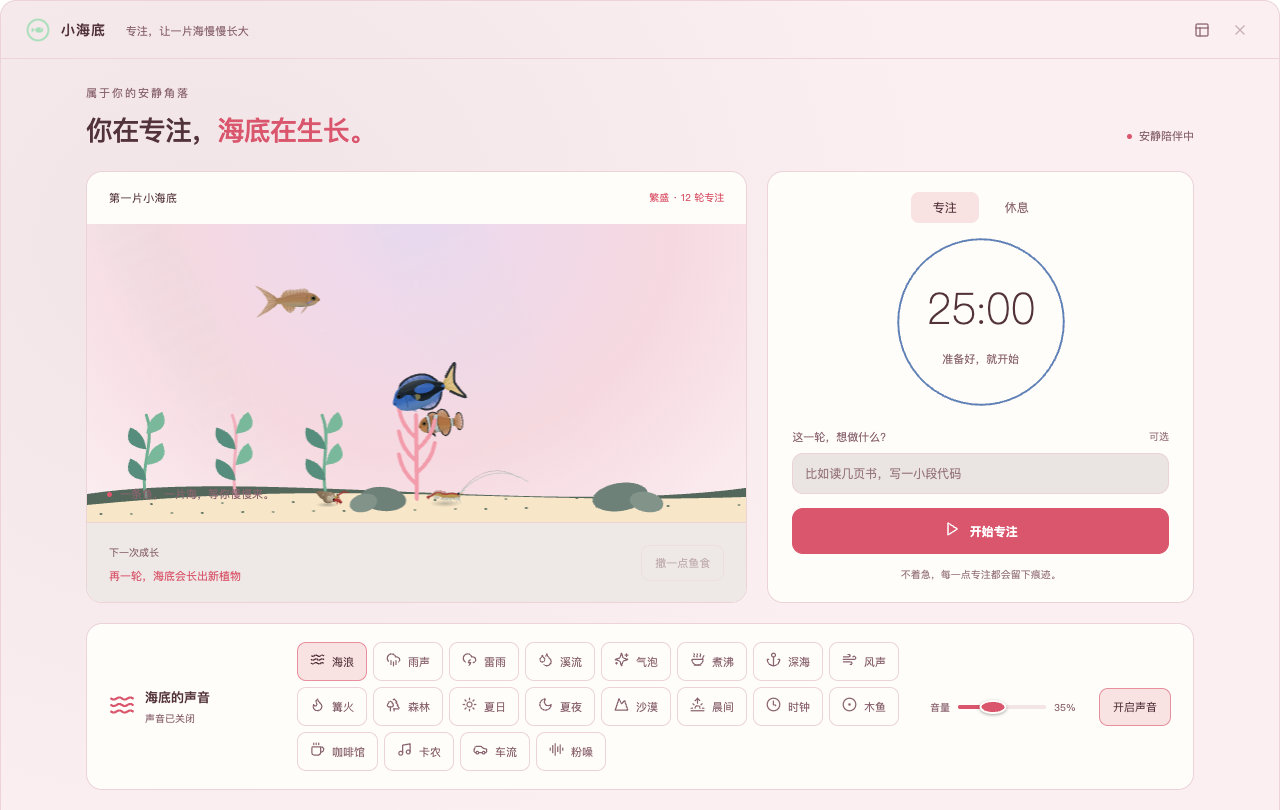 点击放大
Set the timer and shortcuts your way
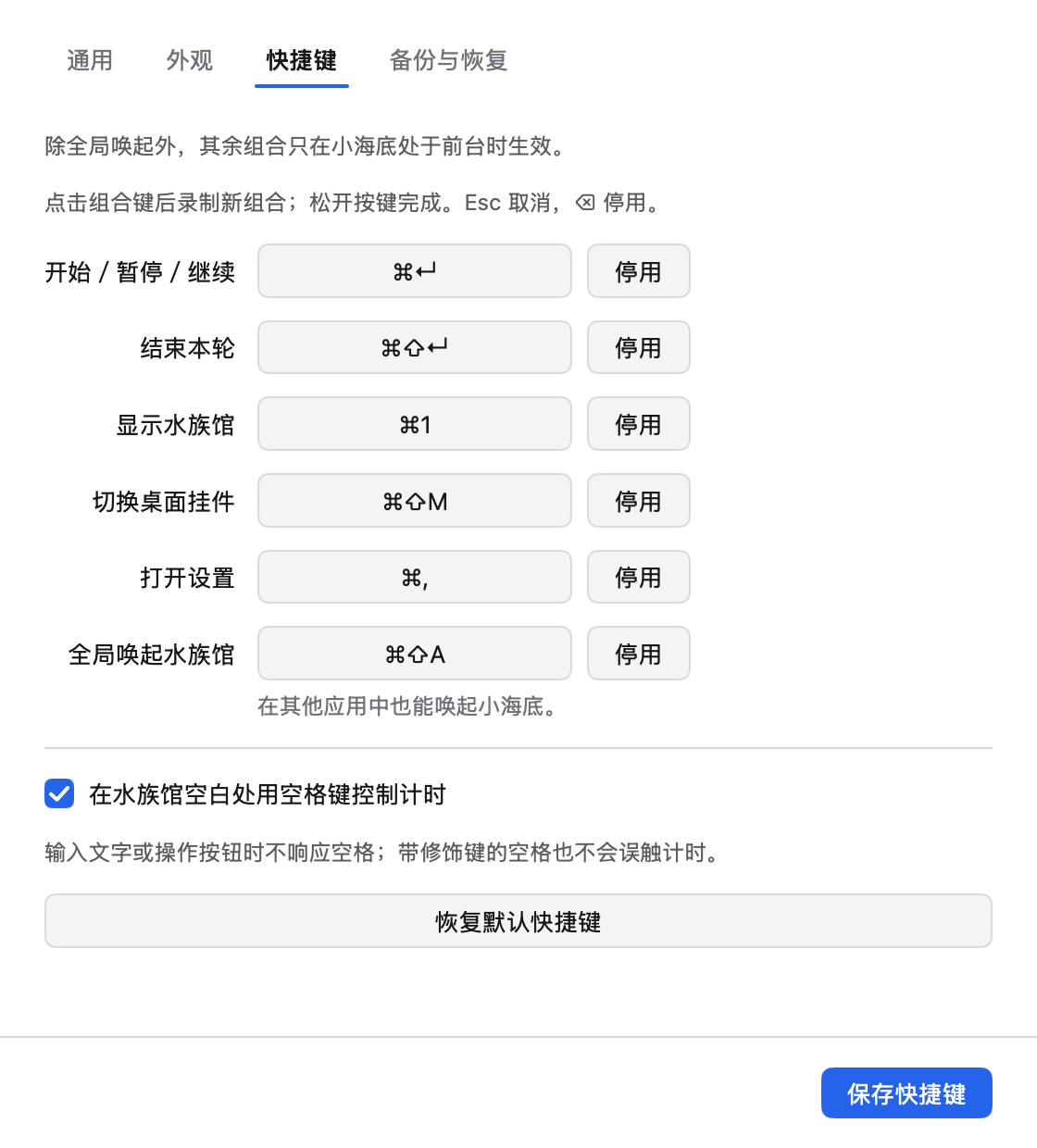
Press ⌘, for native General, Appearance, Shortcuts, and Backup & Restore settings. Record bindings for the timer, ending a session, reef, widget, settings and global wake. Disable each, restore defaults or turn off Space control. Saved bindings apply immediately and persist; duplicates and common system shortcuts are flagged.
 点击放大
 点击放大
No pressure, ever
It just keeps you company while you focus — no nagging, no penalties, and your records stay on your own Mac.
Nothing dies
Stop halfway or walk away — no fish dies and nothing you've grown is lost. Ending early still records how long you focused; it just doesn't count toward growth.
Sleep doesn't count
When your Mac goes to sleep, the timer pauses — that time isn't counted as focus.
No sudden sounds
It never starts making sound on its own, not even on first launch. With sound off, you still get a message and a notification when a session ends.
Your records stay on your Mac
Your focus history and visitor log are saved on your own computer — no account, nothing uploaded. Switching Macs or want a backup? Export your archive any time from Settings; import it back with everything intact.
Keeps going when the window's closed
Close the main window, tuck it into the menu bar or use the widget — the timer and sound continue. To fully quit, right-click the menu bar fish and choose “退出并保存” (Quit and save); the current timer is saved and paused.
Start your first focus session
Requires macOS 12 or later and an Apple silicon Mac.
Open the DMG and drag into Applications
- Download the Mac DMG from this page or GitHub Releases
- Open the DMG and drag Little Reef into Applications
- Open Little Reef and press Space to start or pause focus
The current installer is for Apple silicon Macs only. No installer is available for Intel Macs, Windows or Linux.
Questions
Will it run on my computer?
You need macOS 12 or later and an Apple silicon Mac (M1 or later). There are no installers for Intel Macs, Windows, Linux or phones.
What happens if I stop early?
No fish dies and no plants disappear. Ending early records your focus time without adding growth. The timer pauses when your Mac sleeps, and sleep time is not counted.
Do sessions have to be 25 and 5 minutes?
Those are the defaults; change them in Settings. Growth comes from completed focus sessions, not breaks.
Does the timer continue when I close the window?
Yes. The timer and sound continue with the window closed, in the menu bar or in widget mode. Use ⌘⇧A to wake it by default. To quit, right-click the fish and choose “退出并保存” (Quit and save); the timer is saved and paused.
Do I need an account or internet?
No account is needed. Focus history and visitors stay on your Mac, and ambient sounds play offline. Export or import your archive in Settings; update checks access GitHub.
Make a little time for your reef
Start with one focus session and watch the seagrass grow. Pause whenever you need.